
Watch the full session (30 min): matching ChatGPT’s three models to real construction back-office work, plus triggered agents and scheduled loops.
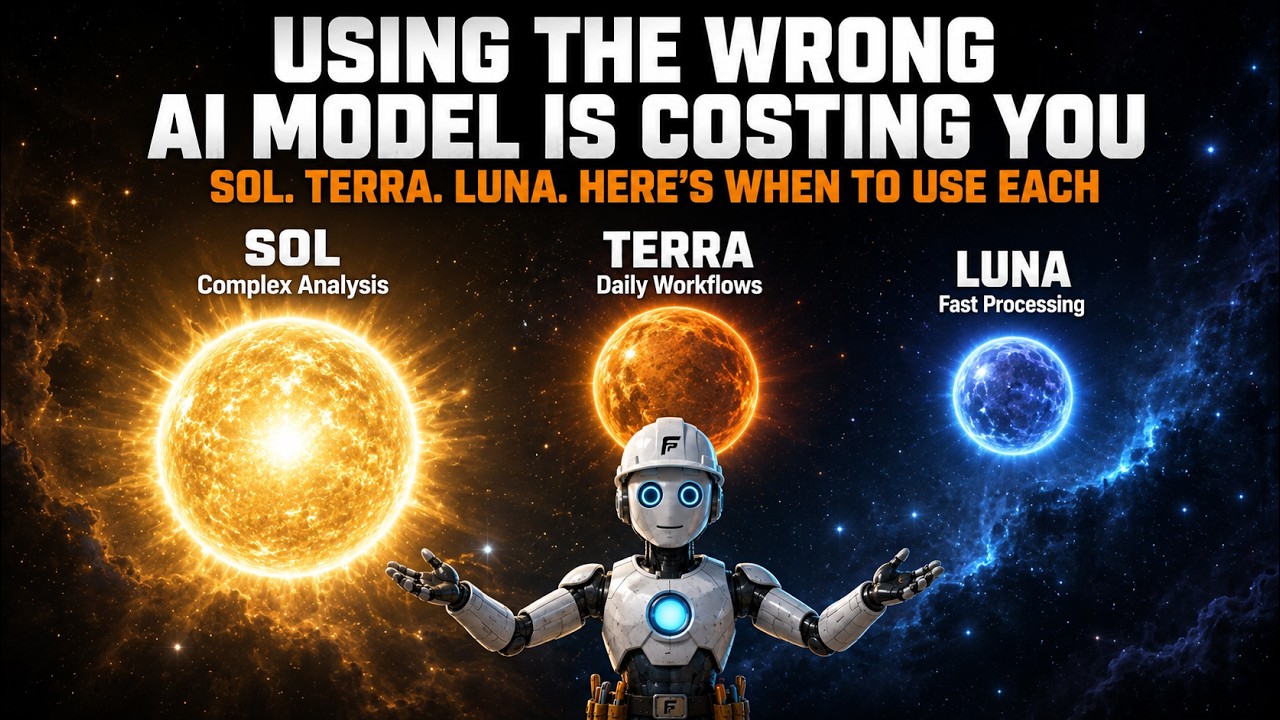
ChatGPT 5.6 did not ship one model. It shipped three: Sol, Terra, and Luna. Each one balances intelligence, speed, and cost differently, and most construction teams are running all of their work through whichever one happens to be selected. The model family comes from OpenAI.
That is a cost problem before it is anything else. Run a single certificate of insurance through the most powerful model and through the cheapest one and you will very often get the same answer. One of those runs costs a fraction of the other. Multiply that across a back office processing hundreds of documents a month and the difference stops being academic.
This session covers which model to use for which construction task, how to chain all three together under a single orchestration agent, and how to move from asking AI questions to assigning it jobs that run on a trigger or a schedule. For the wider context, start with AI for Construction: The Complete Guide.
Sol: The Heavy Lifter for High-Stakes Reads
Sol is the most powerful of the three. It is the model you reach for when the cost of being wrong is high and the document is long.
The clearest construction use case is contract review. A 75-page subcontract is exactly the kind of document where a hallucination is expensive. If the model invents a clause that is not there, or quietly drops one that is, you make a decision on bad information. Sol is built for that class of work: high-reasoning tasks, complex compliance analysis, dense documents where accuracy matters more than throughput.
The premium cost is justified for critical work. It is not justified for high-volume simple work. That distinction is the entire point of the model split.
If you run on Claude instead of ChatGPT, the rough equivalent tier is Fable 5, with Opus sitting just below it as the second heavyweight.
Terra: The Daily Workhorse for Repeatable Admin
Terra is the middle tier and it is where most back-office work actually belongs. It delivers near-flagship performance at meaningfully lower cost, and it handles drafting, summarizing, and routine document processing well.
Terra is strongest inside structure. If you have built a workflow with defined steps, this is the model that runs it: update the tracker, check the tracker, open a COI, analyze it against the subcontract terms, log the result. Same process, over and over, against a defined standard.
That is also the practical argument for writing your SOPs down before you automate anything. Terra performs when it is told how the work is done. A documented process is not busywork here. It is the input the model runs on.
Luna: The Volume Model That Changes the Economics
Luna is the fastest and most cost-effective of the three, and it is built for high-volume repetitive extraction and simple compliance checks.
Use Luna for the reading. “Get familiar with this document.” “Answer a question about this document.” “Go read everything in this folder.” Anything where you are processing a large amount of information before a decision gets made.
This is the model that makes the archive project viable. Most contractors have twenty years of documents sitting on a server in a closet or in cloud storage nobody has touched. Running 100,000 documents through a flagship model is a budget conversation. Running them through Luna is a Tuesday. Luna transforms the economics of bulk document work, which is what makes automating routine processing feasible in the first place.
| Model | Best-fit construction task | Why |
|---|---|---|
| Sol | Subcontract review, complex compliance analysis | Highest reasoning quality on long, high-stakes documents where a hallucination is expensive |
| Terra | Repeatable admin workflows, tracker updates, drafting | Near-flagship performance at lower cost, strongest inside a documented process |
| Luna | Bulk document reading, extraction, simple compliance checks | Fastest and most cost-effective, which is what makes archive-scale work viable |
Chaining All Three: The Orchestration Agent
You do not have to pick one. The better pattern is to let the expensive model act as the project manager and hand the grunt work down.
When you assign a real job rather than ask a question, start with a higher model by default. The stakes are higher when AI is doing work instead of answering, and the strong model is good at planning. Give it a task and it will reason through the sequence: use Luna to read all of the prior documentation, use Terra to analyze it against the standard, then review the analyzed results and decide what happens next.
The technical term for the model running that sequence is an orchestration agent. You can build the whole thing into a prompt: spin up an agent team, use this model as the project manager, use the cheaper models below it for the reading and the extraction. What you want to avoid is your highest-powered model doing the grunt work itself. The same tiering logic applies on the other side of the fence, covered in Claude Fable 5 for Construction.
This matters more the moment you move from a subscription to an API. On a plan, over-powered model selection burns credits. On an API, you pay for it line by line. As the comparison goes, you do not need a sledgehammer to tap in a nail.
Stop Asking Questions. Start Assigning Jobs
The shift that unlocks real time savings is not a better prompt. It is a change in what you hand the AI. ChatGPT Work for Construction Back Offices walks through the same shift in more detail.
A manual COI review is already a process. Open the certificate. Read the details. Enter the data into a tracker. Human error is inevitable because humans are doing it at volume. The same steps, handed to an agent with a trigger, run the same way every time.
The trigger is what makes it feel automated. Anytime an email is received. Anytime a folder gets a new file. Anytime a COI is uploaded. The agent extracts the information off the certificate, analyzes it, writes it into the tracker, and flags the exceptions.
To do this you need the desktop app, whether you are on ChatGPT or Claude, because the agent needs access to a real folder on your machine rather than a chat box you paste into.
Trust Comes From Showing the Work
An agent that returns a verdict with no reasoning will not survive contact with your team. This is the part Contracts Connected had to double down on when building the COI analyzer, and How AI Reads a Certificate of Insurance breaks the read down field by field.
The pattern that works: define the rules, then require the agent to show its reasoning on every flag. For a certificate of insurance that means pulling the limits from your project requirements, pulling the limits off the ACORD 25, putting them side by side, and returning a green, yellow, or red result. Green passes. Yellow means a human should look. Red means reject, and the agent has to say why.
Then it goes through the endorsements and matches the endorsement language against the standard language, word for word, to catch anything that has been modified. Nobody reviewing certificates manually has time to compare a CG 20 10 against the industry standard form to see whether a word or two was deleted before upload. The AI has the time and the compute to do it, and it does it at a depth a person would never sustain.
Start in read-only mode. The agent flags, a person decides. Trust is earned by verifiable output, not by promises about accuracy. Industry bodies such as AGC of America are working through the same governance questions right now.
Scheduled Loops: The Work That Runs Without You
Triggers cover events. Schedules cover everything else.
One general contractor agent runs on a 30-minute loop: it checks an email address, checks its Contracts Connected account for work waiting on it, and emails team members and subcontractors as a person would. The schedule catches anything a trigger missed.
Date-based triggers are the same idea pointed at the future. A recurring job every morning that flags every COI expiring inside a 30-day window, drafts the follow-up emails to those subcontractors, and drops them in your drafts folder for you to review and send. Same pattern works for any expiring document in any part of the organization. If you are starting from zero, Build a Low-Risk AI Assistant for Construction is the smaller first step.
Setting a loop up is as simple as asking for it in plain English. Point the model at the folder, point it at the tracker, describe what you want checked and when.
Two cautions. Master triggered agents before you build loops, because a loop consumes tokens whether or not you ever look at the output. And check on them. It is entirely possible to have an agent running on a schedule for months, quietly broken, because nothing was surfacing its work.
What to Do This Week
Pick the document you process most. Run the same task through Luna, Terra, and Sol and compare the three answers. In a lot of cases Luna will return what Sol returned, and that is the whole lesson: the right model gets you the right answer and lets you get more work done, because you did not spend your best model on a job the cheap one handles identically.
Then build one agent with a real trigger. One document type, one folder, one action. That is the on-ramp.
Frequently Asked Questions
Which ChatGPT model should construction teams use for contract review?
Sol, the most powerful of the three ChatGPT 5.6 models. Long subcontracts and complex compliance analysis are exactly where reasoning quality matters and where a hallucination is expensive. Use Terra for repeatable administrative workflows and Luna for bulk document reading and simple extraction. On Claude, the rough equivalent of Sol is Fable 5, with Opus just below it.
Do I need a paid ChatGPT plan to get Sol, Terra, and Luna?
Yes. The paid plan is required, and business tiers include access as well. Free or limited accounts generally get little or no Sol access, though Terra and Luna are more widely available. Model availability changes, so check your plan’s current model list before building a workflow around a specific tier.
Is it safe to put sensitive construction documents into ChatGPT?
Business and enterprise plans include data controls. You can switch off training on your data and apply a zero data retention policy. Desktop-based workflows keep more of the work on your own machine rather than in the cloud, which is why teams handling sensitive contract and compliance data often prefer them. For federal work, confirm your requirements before routing anything through a hosted model.
Is this too technical for an office manager?
No. It is all plain English. Setting up a scheduled job sounds like: here is a folder on my desktop, it is full of certificates of insurance, here is what I look for, here is the Excel tracker to update, here are the permissions. You control what the agent can access and whether it acts once or on standing permission.
How is this different from what Procore already does?
Procore has leaned into AI agents, and with the Datagrid acquisition that effort is largely pointed at RFIs and submittals. Contracts Connected owns the back-office contract and compliance piece: contracts between primes and vendors, plus the collection and automated analysis of the compliance documents attached to them. Tools like DocuCrunch sit on the owner-to-prime contract side and focus on analysis rather than collection and automation.
Stop Building the COI Agent From Scratch
Contracts Connected ships a trained ACORD 25 analyzer that reads certificates against your project requirements, checks endorsement language word for word, and returns a green, yellow, or red result with its reasoning attached. See what it flags on your documents.
No pitch deck. Straight conversation about what you’re managing and whether we can help.