
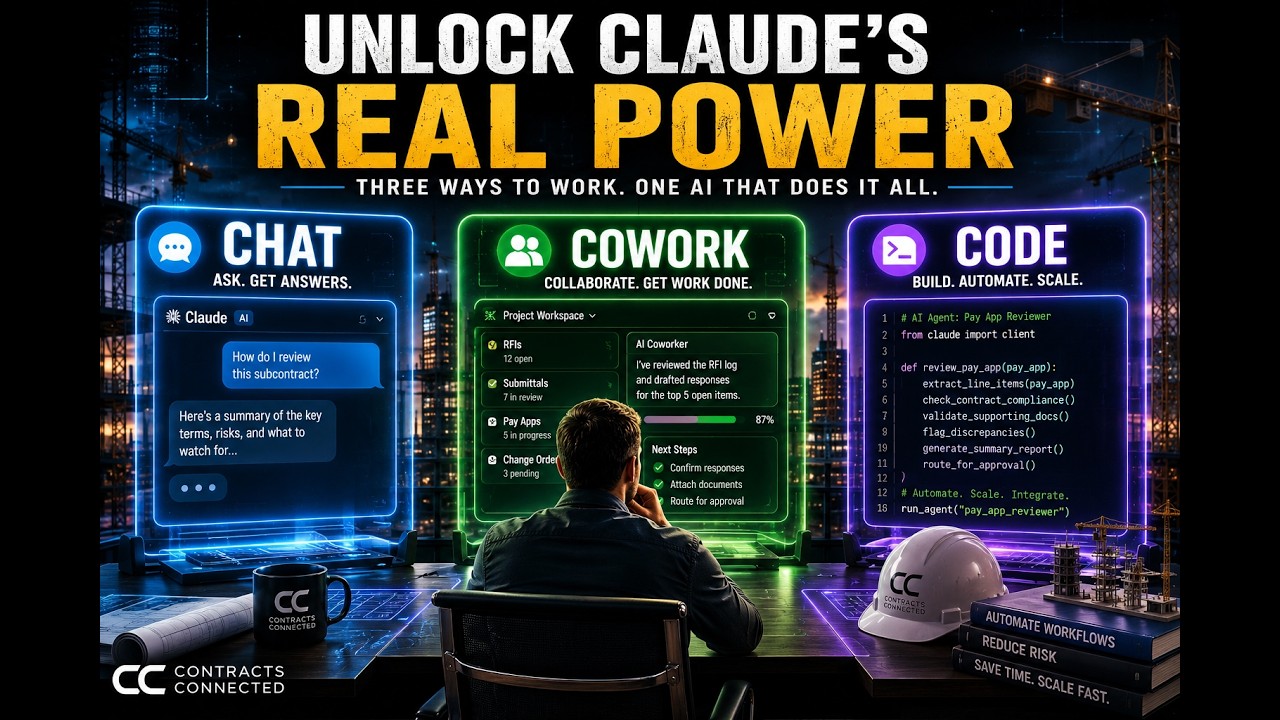
Watch the full webinar (61 min): the same COI job run through all three interfaces, plus what a production contract administration agent actually does.
Most people in construction know exactly one version of Claude: the chat window. That is the one that writes emails and summarizes a spec section.
There are three, and this has nothing to do with which model you pick. Chat, Cowork, and Code, all part of Claude by Anthropic, run the same underlying model. What changes is which capabilities are unlocked. Chat is talk. Cowork is do. Code is build. The same three tiers exist on the other platform, covered in ChatGPT Work for Construction Back Offices, and the wider landscape is in AI for Construction: The Complete Guide.
Picking the wrong one is the single most common reason people conclude that AI cannot handle their work. The task was fine. The interface was wrong.
Why Cowork Exists
The origin story is useful. Anthropic’s engineers noticed their own finance team using Claude Code, which was built as a developer tool. They asked why. The finance team said it went deeper, worked longer, and produced better results than the chat window.
Non-developers were reaching for the developer tool because it was the only thing that could actually finish a job. Cowork was built as the middle ground for exactly those people.
A Real Failure, and What It Teaches
A technical founder, someone with a featured app in the App Store, needed to figure out how many days he had spent in each state across five years for a tax filing. He pointed Claude at his email inbox to pull every flight confirmation.
He got a bad result. His conclusion was that Claude could not do it.
He had used chat. Chat is not built for that. Thousands of emails is not a conversation, it is a processing job. Even a large context window fills up fast when you are feeding it years of inbox history, and once it fills, you get wrong answers and invented ones.
Run the same request in Code and it does something different. It breaks the job into subtasks and spins up separate sub-agents, each with its own full context. One agent per month, each hunting flight confirmations independently, reporting back to a coordinating agent that assembles the answer. That version produced a correct result and a web page with an export button.
This is the whole lesson in one story, and it matters more in construction than almost anywhere else. Firms across the AGC of America membership hold hundreds of thousands of documents and terabytes of storage. Single PDFs run into the hundreds of pages. Connecting a chat window to your SharePoint or your file server is not going to work, not because the AI is weak, but because you handed a processing job to a conversation tool.
Chat: For Thinking, Not for Volume
Claude Chat is the familiar web and mobile interface. It is genuinely good at one-off work: drafting emails and scope summaries, explaining a contract clause or a technical specification, and being a sounding board while you think through a new SOP or a difficult conversation.
It can handle a single large document well. Drop in a 50-page PDF and interrogate it accurately.
The limits are structural. It cannot reach local files or systems, meaning documents on your own machine or on the server in the closet. It cannot take autonomous action, so you are copying and pasting in both directions. And nothing persists. Every new session starts cold, and you re-upload the same requirements document again.
For a working professional deep in this stack, chat ends up being something like 10 percent of daily use.
The COI test: chat analyzes one certificate. You drag in the ACORD 25, you paste in your insurance requirements, you read the response, and then you go do something with it. Next certificate, repeat all four steps.
Cowork: The Middle Ground That Actually Does Work
Cowork is a desktop application. That matters: it installs on your machine, and it is faster than working in a browser. Anything doing real work on local files needs to be a desktop app. A deeper walkthrough lives in Claude Cowork for Autonomous Construction Workflows.
You grant it access to specific local folders, once or on a standing basis, and you can revoke that access later. It can read, edit, and create files, and it executes multi-step jobs start to finish without any coding.
The important behavioral difference is that instructions persist. Think about a new employee. You train them, they take notes, and next time they handle the task from their own notes. Cowork works the same way. Give it a folder and a set of insurance requirements once, and it keeps them.
That unlocks batch processing, structured outputs like compliance tables and flagged reports, and scheduled tasks. Every Monday, process the new certificates, report which policies on active jobs are expiring, and give me the contact to chase.
The trade-off is honest: the less access you grant, the less it can do. And it operates on your desktop, so it is tied to that machine and warrants supervision for consequential decisions. If email is connected, gate sending behind your approval.
The COI test: Cowork scans an entire folder of certificates against a stored requirements document and produces a compliance table. One instruction, many documents, no re-prompting.
Code: For Building Systems That Run Without You
Code is the most autonomous layer. It runs in a terminal or in VS Code, and it builds entire systems and agents from plain English instructions.
Do not let the name stop you. It is not only for developers. A general contractor’s own co-founder uses it. And the Claude desktop app now includes a Code tab, so you can get most of the capability without ever opening a terminal window.
What it enables is persistent automation: reusable agents that handle complex tasks unattended, on a schedule, indefinitely.
For a heavy user that looks like fifteen sessions running at once, each one assigned a defined role rather than a random task, with terminals connected through to a phone so approvals happen from anywhere.
That last part is the real design problem and it is worth stating plainly. Give agents enough capability and they generate an enormous volume of analysis, and you end up reading AI output all day instead of getting work done. The fix is defining the role and constraining the output: give me the ten-thousand-foot version, and tell me what to approve, reject, or give feedback on.
The COI test: Code builds a perpetual agent. It monitors a folder for new certificates, checks each one against requirements, flags what fails, and keeps doing it. The recurring task becomes a system.
What This Looks Like Fully Built
In production, a contract administration agent has two logins: an email inbox it manages itself and an account in the compliance platform.
It checks that account roughly every thirty minutes. If a certificate is still missing and the system has already sent two automated reminders, it writes to the vendor contact directly, in plain language, explaining that they will not be able to start work as scheduled without it, and offering to file it if they email it back.
When the subcontractor replies with the document, the agent downloads it, reviews it against the requirements, and, before any human has touched it, writes back saying what is missing or wrong and asking them to go to their broker for the specific correction. The project manager is copied so they can see the work happening. The full workflow is broken down in Subcontractor Compliance Automation.
The measurable version: one general contractor sat at roughly 200 outstanding vendor documents despite the platform sending automated reminders twice a week. With an agent deployed on top, trained on their SOPs, their company knowledge, and their projects, that backlog dropped to about 40 within a week. Project managers stopped being the ones doing the chasing.
The platform stays the source of truth. The agent and the human team both work in it, which is what makes the whole thing auditable.
Pick the Right One, Then Start Small
One-off thinking and drafting: chat. Work across files without wanting to build anything: Cowork. Systems, reusable agents, and anything that should run without you: Code.
The starting move for Cowork takes ten minutes. Install the desktop app. Create one new folder on your desktop. Give it access to that folder only. Ask it to organize the files and rename them to a convention. Watch how fast it is.
Then it snowballs, which is the actual point. Once you have seen it work on one folder, you start asking what else it could take.
Frequently Asked Questions
What is the difference between Claude Chat, Cowork, and Code?
All three run the same underlying model. Chat is a conversational interface for one-off drafting, summarizing, and analysis, with no access to your local files and nothing that persists between sessions. Cowork is a desktop app that reads, edits, and creates files in folders you grant it access to, remembers its instructions, and runs on a schedule. Code is the most autonomous layer and builds reusable agents that run unattended. Talk, do, build.
Do I need to be a developer to use Claude Code?
No. It was built as a developer tool, which is where the name comes from, but the work is described in plain English. Non-technical operators in construction use it, and the Claude desktop app now includes a Code tab so you can access most of the capability without opening a terminal. It does require more setup than Cowork and it needs guardrails, because the autonomy is real.
Why does Claude give bad answers when I point it at my file server or SharePoint?
Almost always because the job went to chat. Chat is built for conversation, and a construction firm’s document store is a processing job: hundreds of thousands of files, PDFs running hundreds of pages. The context window fills and the answers degrade. Cowork and Code break long jobs into subtasks and spin up sub-agents with their own context, which is what those workloads actually need.
Is it safe to give Claude Cowork access to my files?
You control the scope. Grant access to one folder rather than your whole machine, choose whether permission is one-time or standing, and revoke it whenever you want. Understand the real limit: if it can reach a file, it can change or delete that file, so keep sensitive material outside the folders you expose and require approval before anything is sent externally. The files stay on your machine, which is what keeps you in control.
What does it cost to run this?
The top individual plan from Anthropic runs 200 dollars a month, and a genuinely heavy user working in it all day will approach their weekly usage limit on that plan. For most construction back-office use, far less is needed. Plan pricing and limits change, so check the current terms before budgeting.
Skip the Build. Hire the Agent.
Contracts Connected packages what Code-level builds unlock and points it at the construction back office: an AI agent (in beta) with its own inbox and its own platform account, chasing compliance documents from subcontractors, reviewing certificates against your requirements, and copying your PM so everyone can see the work.
No pitch deck. Straight conversation about what you’re managing and whether we can help.