
Presented in the AI track at the AGC of America Technology Conference, Minneapolis.
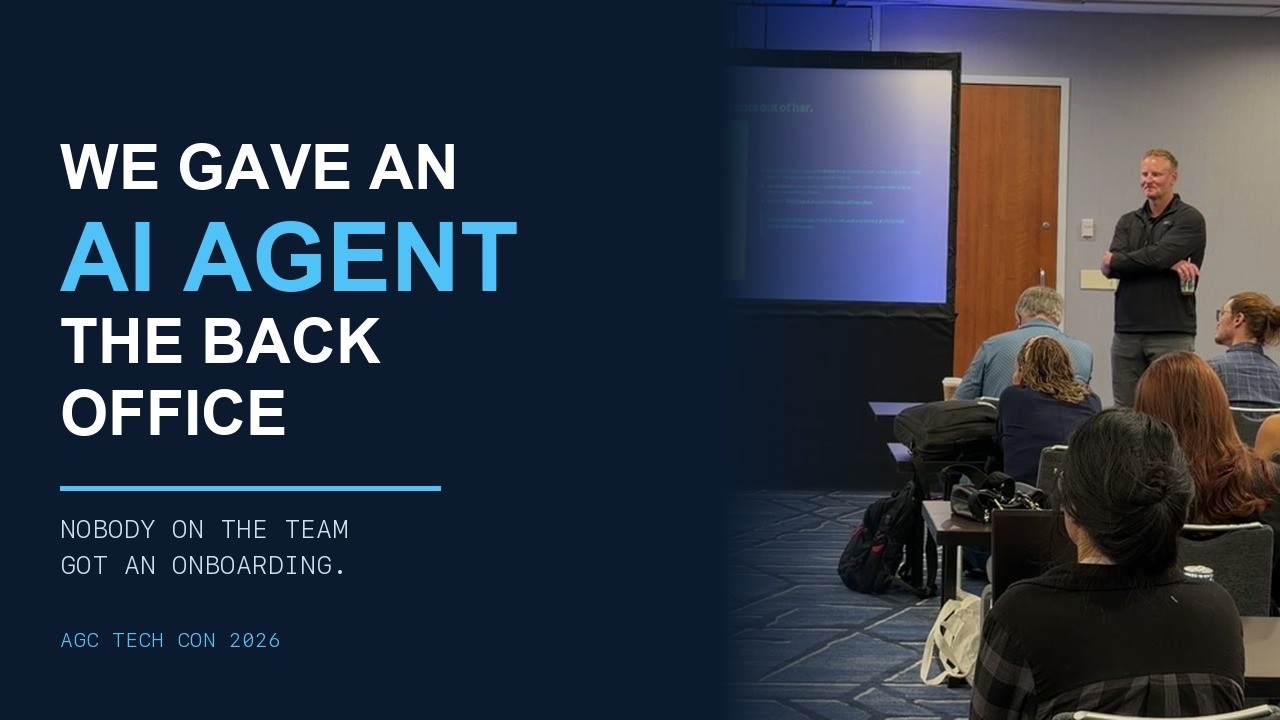
Watch the full session (51 min): the adoption framework, the security model, and real screenshots of an AI agent working a general contractor’s back office.
Most construction companies do not have an AI problem. They have four logins, a side spreadsheet, and an email thread that is really the system of record. Bolt AI onto that and all you have done is add a fifth login to the same broken process.
This is the framework two builders presented in the AI track at the AGC of America Technology Conference in Minneapolis, along with what actually happened when a real general contractor handed its back office to an AI agent. For the wider picture, start with AI for Construction: The Complete Guide.
The Adoption Numbers Nobody Wants to Say Out Loud
A 2025 RICS survey of construction professionals worldwide found that 45 percent of organizations had no AI in use at all, and just 1 percent had scaled it across their projects.
| Adoption stat (RICS, 2025, worldwide) | Share of organizations |
|---|---|
| No AI in use | 45% |
| AI scaled across projects | 1% |
| No plans to increase AI spending | 28% |
That understates actual usage, because almost everyone has a personal chatbot account whether the company provides one or not. AI is being used inside firms that report they are not using it. It is just being used with no structure behind it, which is exactly the condition that makes agents impossible to layer on later.
The same survey asked what holds adoption back. Forty-six percent said they did not have skilled people to run it. Thirty-seven percent said it did not integrate with what they already run on. Thirty percent said their data was not clean enough to trust (see whether your data needs to be clean first).
Read those three answers again and notice what they have in common. None of them is about the AI. See why construction AI projects fail for the wider list of causes.
The Flywheel: Structure, Adoption, Trust, Agent
Four stages, in order, and the order is not optional.
Structure. AI thrives in a structured environment for exactly the same reasons an organization does. More specifically, an agent needs a trigger, and a trigger requires that things land in predictable places. If the certificate of insurance does not reach the right folder, if the email does not get forwarded to the right inbox, the agent never fires. The real question about your SOP is not whether it exists. It is whether the work actually happens that way.
Adoption. Structure written down means nothing until people follow it. This is where most home-built AI projects quietly die. Someone builds a smart assistant that watches a folder and updates a tracker, and then half the team keeps emailing documents to each other instead.
Trust. This is where the team has to be involved rather than informed. Three mechanisms make trust real. Human in the loop: the AI reviews the certificate or the contract, does the analysis at a depth no person has time for, and presents a summary with approve and reject left to a human. Structured environments: agents operate on defined rails rather than open-ended freedom. Plenty of people are handing a coding agent such as Claude by Anthropic access to their entire machine, and that is a risk they cannot see, because the agent does not need to open a window to browse the web. Scoped permissions: give the agent an account in the systems you already use, with the same permission gates you would give a new hire. You would not give a new coordinator admin rights to edit subcontract clauses. Do not give them to an agent either.
Agent. Full autonomy is the end of the ladder, not the start. Maybe after the hundredth certificate is analyzed correctly, the work moves to the agent. It knows the company by then, and the team has spent a hundred reps telling it when it got something wrong.
The flywheel matters because most firms attack something too large. Do not automate invoice processing. Break invoice processing into subtasks, score each one on value to the organization and on time consumed, and pick the subtask that produces the least value while eating the most hours. Automate that. Then run the flywheel again on the next one. The step-by-step version of this sequence is in Construction AI Implementation: The Complete Guide.
Take it in the smallest bite possible. One workflow can be nothing more than an email arriving, a document downloading, and that document landing in the right project folder. When something breaks in a three-step workflow you know where to look. When something breaks in a fifty-step agent you do not.
Where the Back Office Actually Bleeds
Some firms in this space process more than 100,000 unique documents a year, and most of that volume moves over email. More on the mechanics in Automating the Construction Back Office With AI Agents.
Document ingestion breaks into four steps. Ingest the document. Identify what it is and what needs to happen to it. Validate and analyze it, which for an ACORD 25 means checking the limits, the policies, and the endorsement language against the requirement. Then route it: store it on the server, rename the file to the convention, update the tracker, archive.
Every one of those steps is repeatable. None of them creates revenue. That combination is exactly what the scoring exercise is designed to surface.
DIY, Done With You, Done For You
There are three service levels, and they map cleanly onto the flywheel.
Do it yourself is structure. Your templates, your requirements, your SOPs, executed by hand. A legal department setting standard contract terms is doing this on purpose, and it should stay that way.
Done with you is adoption and trust. The AI does the work alongside your team inside your structure. It reviews the certificate, recommends rejection, drafts the deficiency notice, and waits for a person to click send. That middle tier is covered in AI Contract Administration for Construction.
Done for you is the agent. The repetitive work leaves your plate entirely.
The line between them is a judgment call every firm makes for itself. As one builder put it: do I want AI negotiating my contracts? No. Signing them? No. Do I want it doing the first-pass risk read and telling my ops team about a missing waiver of subrogation endorsement so I never have to discuss an endorsement again? Absolutely. Do I want it handling certified payroll? Nobody in that room raised a hand to defend certified payroll.
The Case Study: An AI Agent in a Real GC’s Back Office
Dawes Group is a real general contractor doing federal, healthcare, and multifamily work. Its back office runs on an AI agent, which the company named after its founder’s first contract manager.
It is built out of three things: memory, structure, and communication.
Memory means it knows every project manager and what projects they are on, every subcontractor, what stage each job is at, and how this company does things specifically. Every new piece of information improves that memory rather than evaporating at the end of a session.
Structure comes from the platform rather than from prompting. This is an underrated point. Construction is full of deterministic if-this-then-that logic, and anywhere you can program the rule instead of asking a model to decide, you should. It is more reliable, it consumes fewer tokens, and it is better for the organization than handing every decision to a model that has to reason its way there each time.
Communication is email, and email is the reason adoption happened. The goal was not another chat window. It was an agent the team and the vendors could work with without changing a single habit. Contract administrators already work over email. So the agent works over email.
Nobody on the team got an onboarding. The agent was switched on Wednesday night. By Thursday morning, project managers were texting the CEO asking who the new name in their inbox was and apologizing for owing it documents.
What it does, in practice: chases certificates of insurance from subcontractors, reviews and files them, reminds project managers that scopes have been sitting in draft for three days, pushes commitments to vendors once the right internal approver signs off, handles weekly certified payroll across sub tiers, and emails the team with direct links so nobody clicks five times to find something. The document-chasing side of that is broken down in Subcontractor Compliance Automation.
The tell that it works is a small one. Vendors ignore five automated system reminders and then reply to one email from the agent, under the name the company gave it, saying they will get right on it. Filtering for a human name is how people triage an inbox.
The Security Model
Introducing email creates the open wound. Anyone can send to that address, which means spoofing, prompt injection, and social engineering are all live risks.
What is built around it: known senders only, so every inbound email is verified against the vendor and team network before its contents are digested, and anything unverified gets forwarded to the human responsible for it. Nothing is written without a second confirmation. Documents leave as revocable links rather than as attachments, so sensitive material can be pulled back. Permissions are scoped inside permission-gated accounts, which means the agent literally cannot click a button it does not have rights to, rather than relying on a guardrail somebody hoped they programmed correctly. Every action is logged, encrypted, and auditable: who uploaded what, what emails went out, what came back. And no new place is created for the data to live.
Tested in production, unannounced. A subcontractor contact emailed the agent asking for another subcontractor’s invoices, claiming she worked closely with them and needed it for a change order. The sender was inside the network and had a legitimate right to have her email processed. The agent declined to release another subcontractor’s confidential bid information and emailed the project manager with both company leaders copied, flagging exactly what had been asked and by whom. The sender tried roughly ten more times. The agent stopped replying.
That outcome comes from structure, not from cleverness. Because the vendor was mapped to one specific company profile and one set of commitments, the agent had the context to know the request was out of scope.
Calculating the ROI
In the same RICS survey, 28 percent of organizations had no plans to increase AI spending in the next 12 months. When you break work into small repetitive tasks, the return stops being a philosophical question and becomes arithmetic.
Two examples, estimated from a real contracting operation:
| Task | Before | After |
|---|---|---|
| Contract creation | 78 minutes | 12 minutes |
| Monthly compliance and document tracking, per on-site vendor | 63 minutes | 8.4 minutes |
Multiply the second one by your active vendor count and you have your answer.
Where to Start
Make the list. Every process you think AI could handle, scored on value to the organization and on time consumed. Find the row that is high time and low value. If you want a shortlist to work from, see The 3 AI Agents Every GC Should Be Running.
Then take the smallest possible bite of it and run the flywheel. Structure, adoption, trust, agent. In that order.
Frequently Asked Questions
Why do most construction AI projects fail?
In a 2025 industry survey, 46 percent of firms cited a lack of skilled people, 37 percent said it did not integrate with their existing systems, and 30 percent said their data was not clean enough to trust. Only one of those is a technology problem. The common root cause is missing structure: undocumented processes, documents that do not land in predictable places, and no consistent adoption of an SOP that an agent could act on.
What is an AI agent for the construction back office?
One that performs the back-office contract and compliance role rather than answering questions about it. In practice that means chasing certificates of insurance and certified payroll from subcontractors, reviewing documents against project requirements, filing and renaming them correctly, updating trackers, reminding internal approvers, and escalating anything that needs a human decision. It works over email, which is why teams adopt it without training.
How do you keep an AI agent secure when it has an email inbox?
Layered controls. Verify every inbound sender against a known network before processing the contents and forward anything unverified to a human. Require a second confirmation before anything is written. Send documents as revocable links rather than attachments. Scope permissions inside permission-gated accounts so the agent cannot take actions it has no rights to. Log every action for audit. Do not create a new place for the data to live.
How do you calculate ROI on AI in construction?
Break the work into small repetitive tasks and measure minutes before and after. Two examples, estimated from a real contracting operation: contract creation from 78 minutes to 12, and monthly compliance tracking per on-site vendor from 63 minutes to 8.4. Multiply the per-unit saving by your real volume of contracts and active vendors. When ROI seems impossible to calculate, it is usually because the automation target was defined too broadly to measure.
What is the difference between DIY, done with you, and done for you AI?
Do it yourself is your structure, executed by your people: templates, requirements, and SOPs done by hand. Done with you keeps a human in the loop, so the AI analyzes a document, recommends an action, and drafts the communication while a person approves. Done for you is a fully autonomous agent handling the task end to end, which is where repetitive compliance work should eventually land once trust has been earned.
See What an AI Agent Does in Your Back Office
Contracts Connected runs the structure and the agent together: contracts, redlines, signatures, vendor document collection, and compliance tracking in one place, with the AI agent (in beta) working the email and the follow-up. Same audit trail as any other user.
No pitch deck. Straight conversation about what you’re managing and whether we can help.