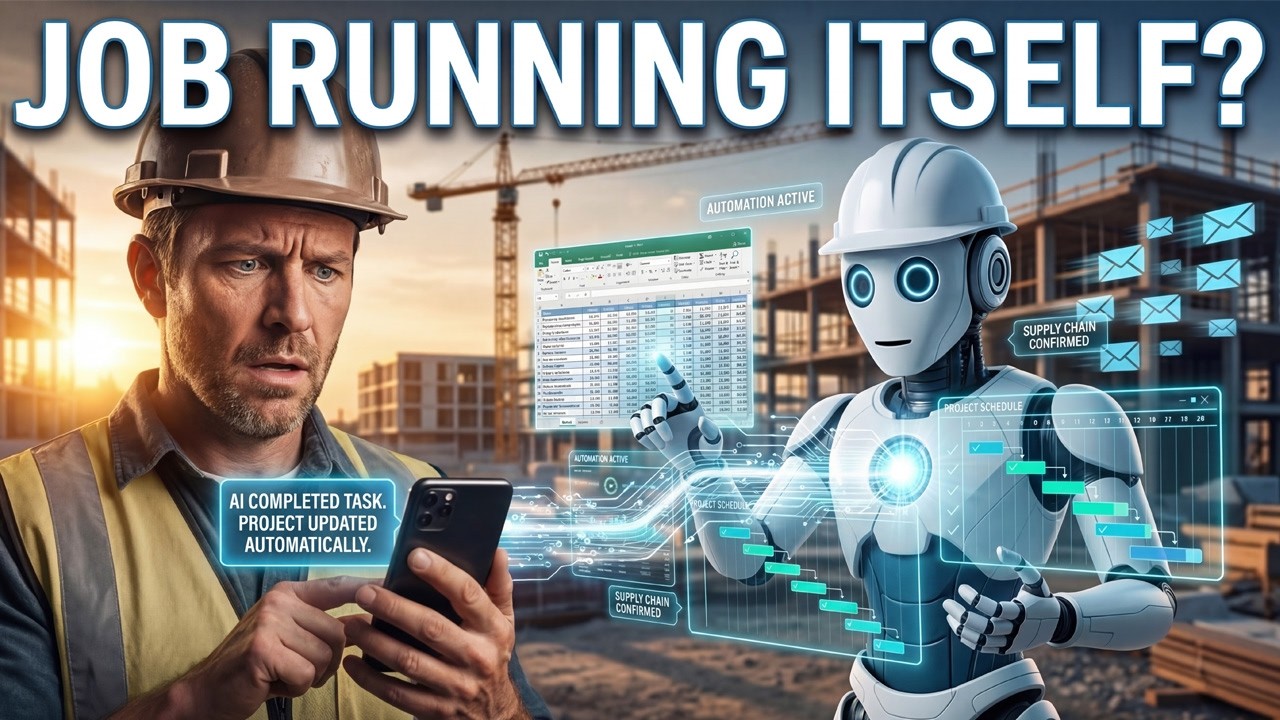
Watch the full demo: AI employees managing contract administration autonomously.
From Chatbot to Autonomous Agent
We’ve all used ChatGPT to answer questions. Maybe you’ve asked it to summarize a spec document or draft a subcontractor email. That’s useful, but it’s still a tool. You ask, it answers, you move on.
The next generation of AI in construction isn’t waiting for you to ask. It’s watching your inbox, reading incoming contract documents, processing compliance submissions, and taking action, all with your approval before anything goes out the door.
This shift from reactive chatbot to proactive agent changes everything about how construction back offices operate. Instead of a project manager manually checking whether subcontractor COIs are current, an AI employee monitors expiration dates, flags gaps, drafts follow-up emails, and queues them for your approval. Instead of an office admin sorting through 50 incoming emails for contract-relevant documents, the AI triages, categorizes, and routes them to the right workflow automatically.
The technology enabling this leap includes MCP connectors that let AI log into your existing platforms (Gmail, SharePoint, project management tools) and operate within them the same way a human employee would. The difference? It never misses a deadline, never forgets a follow-up, and works around the clock.
Construction firms managing federal projects or large subcontractor networks generate enormous document volumes. A single prime contractor might process 100,000+ PDFs per year across insurance certificates, lien waivers, change orders, and certified payrolls. No human team can keep up without gaps. AI employees fill those gaps systematically.
What an AI Employee Actually Does in Construction
Let’s get specific. Here’s what a deployed AI employee handles daily for a mid-size general contractor:
Email Monitoring & Triage The AI connects to your company Gmail or Outlook and watches for incoming contract-related documents. When a subcontractor sends an updated COI, the AI extracts the relevant data (policy numbers, expiration dates, coverage amounts) and routes it to your compliance tracking system. No human touches the document unless it’s flagged as an exception.
Compliance Document Processing COIs, W-9s, lien waivers, certified payrolls, these arrive in different formats from dozens of subcontractors. The AI normalizes them, validates required fields, cross-references against project requirements, and updates your tracking dashboard. Missing documents trigger automated follow-up sequences.
Response Drafting When a subcontractor inquiry comes in, “What’s the status of our payment application?” or “Can you send the current schedule?”, the AI drafts a response pulling real data from your project management system. The draft sits in your approval queue. One click to send, or edit and send. Either way, response time drops from days to hours.
Deadline Management Insurance expirations, submittal due dates, inspection windows, closeout milestones, the AI tracks all of them. It doesn’t just send reminders. It prepares the follow-up communication, identifies which documents are still missing, and escalates to the right person based on your org chart.
Approval Workflows Every action the AI takes flows through a human approval gate. It recommends, you decide. Over time, as confidence builds, you can expand the AI’s autonomy for low-risk tasks while keeping human oversight on anything that affects contracts or payments.
For a deeper dive into the agent architecture behind these capabilities, see our guide on AI agents in construction.
The Contract Administrator That Never Sleeps
Here’s where it gets real. We built a live demo running on our co-founder’s construction company, a working general contractor managing active projects with real subcontractors and real contract documents.
The AI employee connects to the company’s Gmail account and the Contracts Connected platform simultaneously. It monitors incoming email for contract-relevant documents, processes them through the compliance engine, and responds to routine status inquiries, all without manual intervention.
In the demo, you can watch the AI:
- Detect an incoming COI from a subcontractor via email
- Extract policy details and coverage amounts automatically
- Cross-reference against project insurance requirements
- Flag a coverage gap and draft a follow-up email to the sub
- Queue the response for human approval before sending
This isn’t a concept or a prototype. It’s running on production data, handling real compliance workflows, every single day.
The contract administrator role doesn’t disappear. It evolves. Instead of spending 70% of the day on document chasing and data entry, your contract admin focuses on exceptions, negotiations, and relationship management, the work that actually requires human judgment.
According to AGC’s technology surveys, the construction industry has historically underinvested in back-office automation compared to field technology. AI employees represent the first practical solution for automating administrative workflows that are too complex for simple rule-based automation but too routine to justify dedicated human attention.
How to Build Your First AI Employee
Getting started is simpler than you think. You don’t need to overhaul your tech stack or hire an AI team. Here’s the practical path:
Step 1: Pick One Workflow Start with a single, well-defined workflow. Email intake is ideal because it’s high-volume, repetitive, and easy to measure. Document review (COIs, W-9s) is another strong starting point. Don’t try to automate everything at once.
Step 2: Connect Your Data Sources The AI employee needs access to the systems where your work happens, email, document storage (Google Drive, SharePoint, Dropbox), and your project management or contract platform. MCP connectors handle these integrations without requiring API development.
Step 3: Set Permission Gates Define what the AI can do autonomously and what requires human approval. Start conservative: let the AI draft everything, but require approval for all outbound communication and any system updates. As trust builds over weeks, selectively expand autonomy for low-risk actions.
Step 4: Monitor and Expand Track metrics from day one, documents processed, response times, compliance gaps caught, human overrides. Use this data to identify which additional workflows would benefit most from AI automation. Most teams add a second workflow within 30 days.
Step 5: Scale Across Projects Once a workflow is proven on one project, replicate it across your portfolio. The AI employee’s configuration becomes a template. New projects get the same level of automated compliance tracking and document management from day one.
The key insight: invest in data structure first. The AI employee is only as good as the systems it connects to. If your contract documents live in random email attachments and desktop folders, start by centralizing them. Platforms like Contracts Connected provide the structured environment that AI employees need to operate effectively.
For broader context on how AI is reshaping construction technology in 2026, see our comprehensive AI for construction guide.
Frequently Asked Questions
Can AI replace a contract administrator?
Not replace, but augment significantly. AI can handle roughly 80% of routine contract administration tasks autonomously, document intake, compliance tracking, email triage, and deadline monitoring. Human administrators focus on exceptions, negotiations, and strategic decisions that require judgment and relationships.
What tasks can an AI employee do in construction?
AI employees in construction can monitor email for incoming contract documents, process COIs and compliance certificates, track subcontractor deadlines, draft responses to routine inquiries, manage approval workflows, send automated follow-ups for missing documents, and generate daily status briefings for project managers.
Is it safe to let AI take actions on construction contracts?
Yes, when implemented with proper safeguards. Modern AI employee platforms use permission-gated workflows where every significant action requires human approval before execution. Full audit trails log every decision, and role-based access controls ensure AI only operates within defined boundaries.
How long does it take to set up an AI employee for construction?
Weeks, not months. Start with a single workflow like email intake or document review. Connect your data sources (email, document storage, project management tools), configure approval gates, and let the AI learn your patterns. Most teams see meaningful results within 2-4 weeks of initial setup.
What’s the difference between AI tools and AI employees?
AI tools wait for you to ask a question or give a command. AI employees proactively monitor data sources, identify tasks that need attention, take action within defined parameters, and report back on what they’ve done. Tools are reactive; employees are proactive.